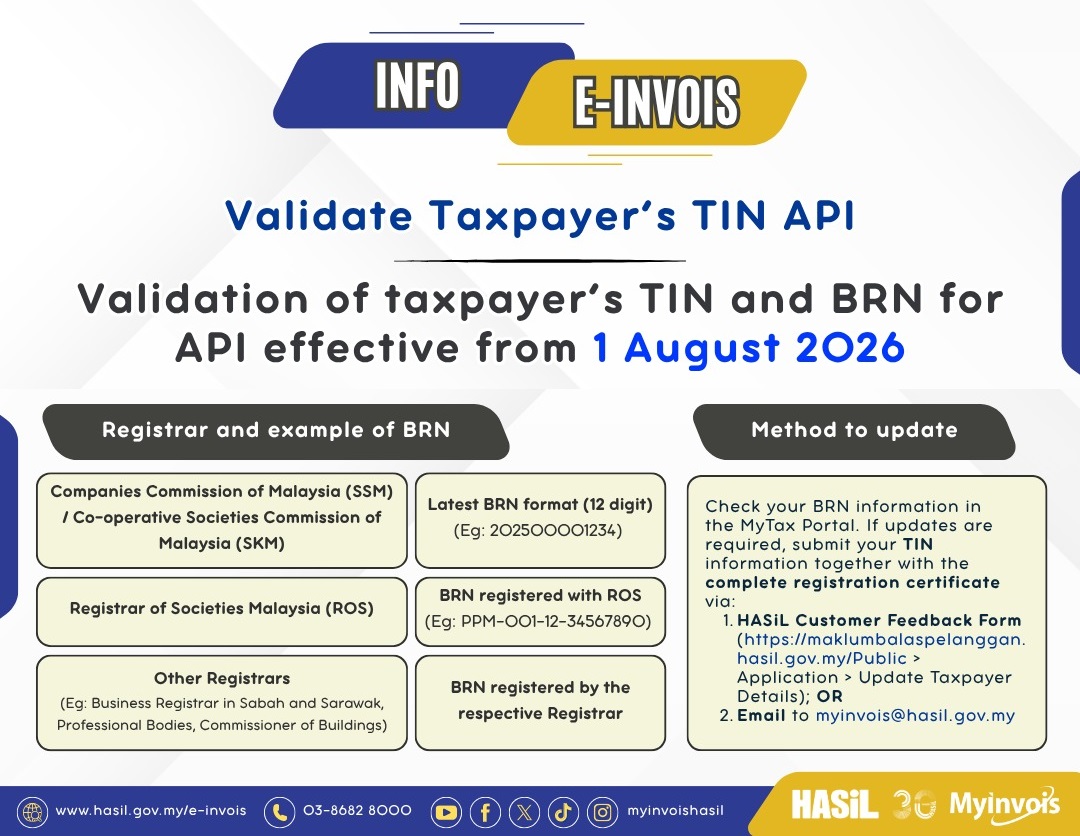
LHDN has announced that starting 1 August 2026, TIN and BRN validation will be strictly enforced for all e-Invoice submissions to MyInvois Portal. Companies registered with SSM or SKM must be using the new 12-digit BRN format. e-Invoices submitted with the old BRN format may fail validation.
Since your AutoCount e-Invoice license is tied to your BRN, any BRN update with LHDN must also be reflected in your AutoCount Accounting software.
How to Check Your BRN Format in AutoCount
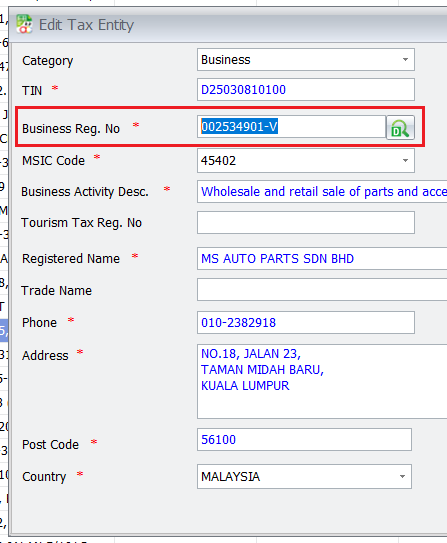
- Go to Tax → Tax Entity Maintenance.
- Find your company’s TIN number.
- Check the Identity No. (Business Reg. No.) field — confirm it’s the new 12-digit BRN format.
How to Update If You’re Still on the Old BRN
- Update your MyTax profile: Contact LHDN to ensure your MyTax record reflects the new BRN format.
- Update your AutoCount e-Invoice: Contact your AutoCount partner to update your license in AutoCount software. Once done, you can submit e-Invoices as usual.
Don’t wait until the deadline and check your BRN format now to avoid any disruption to your e-Invoice submissions after 1 August 2026.