RM3 Million E-Invoicing Threshold: What It Means For AutoCount User (Updated with LHDN’s Latest FAQ)

Effective 1 September 2026, the government raised the e-Invoicing exemption threshold for MSMEs from RM1 million to RM3 million. LHDN has since released a new FAQ that answers the one question everyone was asking: what happens to businesses that already started issuing e-Invoices before the threshold went up? Here’s the full picture, updated with that guidance. What Changed Businesses with annual income or sales under RM3 million are no longer required to implement e-Invoicing — a change announced by the Prime Minister and expected to benefit over 1.1 million businesses. LHDN says the move eases the compliance burden on MSMEs, though it continues to encourage voluntary participation as part of the country’s digitalisation push. Implementation Timelines to Note Who’s Exempt — and Who Isn’t The RM3,000,000 exemption (Section 1.6.10 of the e-Invoice Guideline) applies to all taxpayer types — individuals, partnerships, companies, co-operatives. It does not apply if: *”Related company” per Section 2 of the Promotion of Investments Act 1986. If You’re Already on e-Invoice System If you’re an AutoCount Accounting user who was mandated from 1 July 2026 and has already onboarded: If You Haven’t Started Yet Good news for most, but don’t assume you’re permanently off the hook, and don’t wait until the last minute either. Frequently Asked Questions My business already existed before YA2022 and my revenue stayed under RM3 million that year — what’s my implementation date? If you meet the exemption criteria, your official date is still 1 July 2026, but you’re exempt from actually implementing. You only need to start once your revenue reaches RM3 million — from 1 July 2026 if that happens in YA2023–2025, or from 1 January in the second year after the YA it happens if that’s YA2026 onwards. If you don’t meet the exemption criteria, you must implement from 1 July 2026 regardless of how low your revenue is. My business started between YA2023 and YA2025 — how do I work out my date? If your revenue reached RM3 million in any of those years, implement from 1 July 2026. If it stayed under RM3 million and you meet the exemption criteria, you’re exempt (with 1 July 2026 as your notional date) until revenue crosses RM3 million from YA2026 onwards, at which point you implement from 1 January in the second year after that YA. If your revenue stayed low but you don’t meet the exemption criteria — for example, you’re a subsidiary of a company that has already implemented e-Invoice — you must still implement from 1 July 2026. My business only started from YA2026 onwards — what applies to me? If you don’t meet the exemption criteria, implement from 1 July 2026 or your commencement date, whichever is later. If you do meet the criteria, you’re exempt for as long as your revenue for that first YA stays under RM3 million. Once revenue in any YA reaches RM3 million, you implement from 1 January in the second year following that YA. (Two businesses starting the same day can end up on very different timelines — one earning RM3.12 million in its first year would implement two years later, while one earning RM308,000 stays exempt until it eventually crosses the threshold.) I was supposed to implement e-Invoice, but I never got around to it — and I now qualify for the exemption. Will I be penalised for not issuing e-Invoices in the meantime? No. If your revenue is under RM3 million and you meet the exemption criteria, you’re treated as exempt from your original implementation date onward — even if you didn’t issue a single e-Invoice since that date. No compliance action or penalty applies. I’ve already been issuing e-Invoices, but I now qualify for the exemption. Do I need to apply to LHDN to stop? No separate application or prior approval is needed. If you meet the exemption criteria, you can discontinue issuing e-Invoices immediately. You’re also free to keep issuing them voluntarily if you’d prefer. I found gaps in my past e-Invoice submissions, and I now qualify for the exemption — do I need to go through the SVDP for those omissions? No. If you now meet the exemption criteria, you’re not required to participate in the e-Invoice Special Voluntary Disclosure Programme (SVDP) for those omissions, and you can simply stop issuing e-Invoices going forward. Can I keep issuing e-Invoices even though I’m exempt? What happens if my revenue grows again later? Yes — voluntary participation is welcomed and encouraged as part of the Government’s digitalisation push. But the exemption isn’t permanent: if your turnover later reaches or exceeds RM3 million, you’ll be required to implement e-Invoice again, starting 1 January in the second year following the YA in which you crossed the threshold.

How to Fix “Fail to Connect to AutoCount Server” Error in AutoCount Accounting

If you’ve just opened AutoCount Accounting and been greeted by this pop-up: Fail to connect to AutoCount Server. Please check the following: i) AutoCount Server is version 2.2.13.1 or above, and the service is started. ii) Firewall is opened. iii) Port number is valid. …don’t worry — this is one of the most common issues AutoCount users run into, and it’s almost always fixable in a few minutes. It simply means your AutoCount Accounting client (the program you’re logging into) can’t “talk” to the AutoCount Server component that manages your database connection. Below is a step-by-step guide to diagnosing and fixing it, in the same order the error message hints at. Why This Error Happens AutoCount Accounting uses a small background service called AutoCount Server (sometimes seen as an icon in your system tray/notification area) to handle communication between the client software and your database. The error appears when one of three things goes wrong: Let’s fix each one. Go through the steps in order — if Step 1 turns out to be the problem and starting the service fixes it, you can stop there and skip Steps 2 and 3. Step 1: Check the AutoCount Server Service Is Running Step 2: Open the Firewall Port Even if the service is running, Windows Firewall (or your antivirus) may be silently blocking the connection. If you use a third-party antivirus (Norton, McAfee, etc.), it may override Windows Firewall — you’ll need to add the same exception inside that antivirus program, or ask your IT support to do so. Step 3: Make Sure the Port Number Is Valid Sometimes the port AutoCount is trying to use is already occupied by another program, which stops the AutoCount Server service from starting properly. Both the server and every client PC must use the same port number for the connection to succeed. One more thing to note: on some computers, especially older or lower-spec machines, this error can also happen simply because the PC is still busy loading other programs right after Windows starts up, the AutoCount Server service hasn’t fully started yet when you try to open AutoCount Accounting too quickly. If this sounds familiar, try waiting 1–2 minutes after Windows startup before launching AutoCount Accounting, to give the service time to finish initializing.

What Is SVDP? A Simple Guide to Malaysia’s e-Invoice Compliance Programme

If your company has fallen behind on e-Invoice compliance since the mandate began, there is now a structured way to correct it. IRBM has introduced a programme called SVDP, which allows businesses to disclose and fix past e-Invoice issues without facing penalties. Here is what every Malaysian business owner should know. What Does SVDP Stand For? SVDP stands for e-Invoice Special Voluntary Disclosure Programme. In simple words: it is a correction period. During this time, you can disclose to IRBM about e-Invoice problems from the past. If you do it the right way, you will not be penalty for those old mistakes. When Does SVDP Run? SVDP started on 7 July 2026 and will end on 31 December 2027. That gives businesses about 18 months to check their records and fix any problems. Why Was SVDP Introduced? Since Malaysia rolled out mandatory e-Invoicing, many businesses have found gaps in their records. Common problems include: Most of these mistakes happen by accident, not on purpose. SVDP gives businesses a safe way to correct these mistakes themselves, instead of waiting for IRBM to find the problem first. What Do You Get If You Use SVDP? If you come forward honestly and give complete, correct information, you will generally get: In effect, self-correction under SVDP is treated far more favorably than non-compliance that is later identified through an IRBM audit or investigation. AutoCount Accounting software supports these, submitting under SVDP is straightforward you just check a box and the system handles the rest. What SVDP Does NOT Cover SVDP is intended to support genuine, good-faith correction and not to shield deliberate non-compliance. The relief does not apply where: How to Get Ready for SVDP Here is a simple step-by-step way to prepare: Conclusion SVDP represents a structured, time-bound opportunity for Malaysian businesses to regularise their e-Invoice compliance without facing penalties, provided disclosures are made honestly and completely. It is intended for genuine oversights, not deliberate non-compliance. Businesses with any uncertainty about their e-Invoice history should begin reviewing their records now, well ahead of the 31 December 2027 deadline.

What’s New in AutoCount Accounting Version 2.2.32.45

This release focuses on supporting Malaysia’s e-Invoice Special Voluntary Disclosure Programme (SVDP), an LHDN initiative that helps taxpayers regularize their e-Invoice compliance without penalty. For full details on SVDP, refer to the LHDN e-Invoice Specific Guideline (Version 4.8 and above). What’s Included in This Update Support for e-Invoice Special Voluntary Disclosure Programme (SVDP) New “Year” and “Year.Month” columns at the Self-Billed Command Form and Print Listing Important: This version will upgrade your Database Version to 2.2.97. This version requires AutoCount Server Version 2.2.13.14. 1. Support for e-Invoice Special Voluntary Disclosure Programme (SVDP) In conjunction with the latest LHDN initiatives, you can now submit SVDP e-Invoices directly through AutoCount Accounting. Enabling SVDP You will need to enable this functionality first before you can work with SVDP. To do this: Go to the e-Invoice Menu Click e-Invoice Setting Click the “Setting” button Check Enable e-Invoice Special Voluntary Disclosure Programme (SVDP) Note: since SVDP runs until 31/12/2027, this option will be hidden after that date. Apply and Submit SVDP e-Invoices After enabling SVDP from e-Invoice Setting, you can create your Invoice as usual. You’ll notice a new checkbox on the top ribbon, under the “Edit” tab, in the Submit e-Invoice section. Check the e-Invoice SVDP box to submit your e-Invoice using the SVDP document version. After validation, you can cross-check the submission on the MyInvois Portal, where it should reflect the document version as Invoice 1.3. An “e-Invoice SVDP” column has also been added to the Invoice Command Form (enabled by default in Column Chooser), so you can easily see which invoices were submitted using SVDP. This SVDP checkbox functionality is available for the following documents: Invoice Cash Sale Debit Note / Credit Note AR Credit Note Self-Billed Note: this SVDP checkbox will be automatically disabled / greyed out after 31/12/2027. Performing SVDP for Consolidated e-Invoice Besides transaction-level SVDP, you can also apply SVDP to a Consolidated e-Invoice. Go to Menu > e-Invoice > Consolidated e-Invoice, then click “New” to generate a new Consolidated e-Invoice. In the Generate Consolidated e-Invoice dialog, you’ll find a new “e-Invoice SVDP” checkbox that you can select to submit using SVDP. Intelligent Detection for Consolidated Late Submission The system can now automatically detect when you’re making a late submission for a Consolidated e-Invoice: If you generate the consolidation on or before the 7th of the current month, it will flag a late submission if you’re consolidating for 2 months earlier or more. If you generate the consolidation after the 7th of the current month, it will flag a late submission if you’re consolidating for the previous month or earlier. Example Generate Date Consolidate Period Late Submission 07/07/2026 01/06/2026 – 30/06/2026 (previous month) No 07/07/2026 01/03/2026 – 31/03/2026 (2 months or earlier) Yes 20/07/2026 01/06/2026 – 30/06/2026 (previous month) Yes 20/07/2026 01/03/2026 – 31/03/2026 (2 months or earlier) Yes In these cases, any late Consolidated e-Invoice submission should be made to the MyInvois Portal using SVDP, in compliance with the latest LHDN requirements. For example, if it’s currently July 2026 and you try to run a Consolidated e-Invoice for May 2026 without checking “e-Invoice SVDP”, the system will detect the late submission and prompt you to confirm whether you want to submit using SVDP. Note: if SVDP hasn’t been enabled in the settings, the system will first prompt you to enable it. This happens because you’ve passed the standard submission deadline for Consolidated e-Invoice — the 7th of every month. The system prompts you to use SVDP to avoid penalties while staying compliant with the e-Invoice Specific Guidelines. If you click Yes, the system proceeds with SVDP. If you click No, the system proceeds without SVDP. After submission, you can check whether a record was submitted with SVDP from both the MyInvois Portal and the Consolidated e-Invoice main screen, using the “e-Invoice SVDP” column (enabled by default in Column Chooser). Warning for Consolidating Multiple Months’ Transactions Per the e-Invoice Specific Guideline, taxpayers should not lump the total amount of multiple months’ transactions together and submit it as a single Consolidated e-Invoice. In line with this requirement, the system will now show a warning if you try to generate a Consolidated e-Invoice covering multiple months’ transactions at once. If you click Yes, the system will still proceed with the consolidation. If you click No, the system will abort and let you adjust the consolidation period. 2. New “Year” and “Year.Month” Columns at Self-Billed Command Form and Print Listing In the Self-Billed function, we’ve added two new columns, “Year” and “Year.Month”, to make grid filtering easier. You can add these columns via Column Chooser. Self-Billed Command Form Self-Billed Print Listing

What’s New in AutoCount Accounting Version 2.2.31.44

This release introduces a range of enhancements focused on improving email management, eInvoicing flexibility, and system usability. Key updates include per-user and per-database SMTP settings, improvements to the Server Mailing List, greater flexibility in maintaining Tax Entity information for submitted e-Invoices, support for the latest LHDN BRN requirements, and the addition of Brunei Dollar (BND) as a Home Currency option. Important: This version of AutoCount Accounting will upgrade your Database Version to 2.2.96. Summary of Key Enhancements Support to cache SMTP From Name and From Email by each Database and each User ID Add “From Email” column in the Server Mailing List Enhance Server Mailing List with a Summary Footer Support to allow editing Tax Entity fields even if already submitted e-Invoice transactions Add new Brunei Currency (BND) as a Home Currency selection Several other usability and reporting improvements 1. Support to Cache SMTP From Name and From Email by Each Database and Each User ID The system now caches the SMTP From Name and From Email for each database and User ID. This enhancement eliminates the need to repeatedly re-enter the sender information when working with multiple account books on the same PC, ensuring each database retains its own SMTP settings. Example: Two account books are opened on the same PC. Account Book A uses From Name: Autocount Dummy and From Email: 123@gmail.com. Account Book B uses From Name: Brunei and From Email: example@gmail.com. The system remembers the From Name and From Email for each account book/database independently, so users do not need to re-enter this information every time they switch to a different account book if the email used is different. 2. Add “From Email” Column in the Server Mailing List A new From Email column has been added to the Server Mailing List to display the sender email address for each email record, allowing users to quickly identify which email account was used to send the email. Click here to learn how to configure Gmail SMTP for sending email. 3. Enhance Server Mailing List with Summary Footer A new Summary Footer has been added to the Server Mailing List to display the total number of emails based on the selected filter and date range. This enhancement enables users to quickly view the total without having to manually count the email records. 4. Support to Allow Editing Tax Entity Fields Even If Already Submitted e-Invoice Transactions The system now allows users to edit Tax Entity information even if the tax entity has already been used to submit e-Invoice transactions. This enhancement provides greater flexibility when maintaining Tax Entity records and eliminates the need to use the Merge TIN function for certain updates. Example: A submitted e-Invoice exists under an AutoCount TIN. Users can still edit the Tax Entity information without affecting the existing submitted e-Invoice transaction. Note: The TIN field itself is still not allowed to be directly edited. 5. Add New Brunei Currency (BND) as Home Currency Selection The Brunei Dollar (BND) has been added as a new Home Currency option under the “Others” selection when creating a new Account Book. This enhancement provides greater flexibility for businesses in Malaysia that need to maintain BND as their base currency. 6. Other Enhancements Some other key highlights of this version that do not require further explanation: Amend all sales reports to display business date instead of created date for POS transactions — Updated all sales reports to display the Business Date instead of the Created Date for POS transactions. This change has no impact on users, as it simply improves consistency in the reporting function. Add “Our Invoice No.” column at A/R Credit Note grid — Added an “Our Invoice No.” column to the A/R Credit Note grid, allowing users to easily view and identify the related invoice number. Enhance DocNo to support up to 50 characters — Increased the maximum length of Document Number (DocNo) to 50 characters, providing greater flexibility for longer document numbering formats and matching the LHDN e-Invoice accepted character range. Extend Sales Exemption No. field at transaction detail level to 300 characters — Increased the maximum length of the Sales Exemption No. field at the transaction detail level to 300 characters, allowing longer exemption reference numbers and matching the LHDN e-Invoice accepted character range. Enhance Purchase Request to support Unit Price, Currency Code, Total Amount, and Reference Attachments — Enhanced the Purchase Request module to support Unit Price, Currency Code, Total Amount, and Reference Attachments, providing more comprehensive purchasing information and supporting documents during the request process. Enhance auto-detect and assign issue date for e-Invoice submission — Improved the e-Invoice submission process by automatically detecting and assigning the appropriate Issue Date, reducing manual intervention and ensuring more accurate submissions. Remove phone validation at transaction level — Removed phone field validation at the transaction level, allowing users to save transactions even when the phone number does not meet the previous validation rules. [SG] Enhance InvoiceNow to handle empty Item Description — Enhanced InvoiceNow (Singapore) to support transactions with an empty Item Description, improving compatibility with different business scenarios and reducing submission failures.

LHDN e-Invoice BRN Validation Starts 1 August 2026: What You Need to Do

LHDN has announced that starting 1 August 2026, TIN and BRN validation will be strictly enforced for all e-Invoice submissions to MyInvois Portal. Companies registered with SSM or SKM must be using the new 12-digit BRN format. e-Invoices submitted with the old BRN format may fail validation. Since your AutoCount e-Invoice license is tied to your BRN, any BRN update with LHDN must also be reflected in your AutoCount Accounting software. How to Check Your BRN Format in AutoCount How to Update If You’re Still on the Old BRN Don’t wait until the deadline and check your BRN format now to avoid any disruption to your e-Invoice submissions after 1 August 2026.

What’s New in AutoCount Accounting Version 2.2.29.41

This release marks a significant update with enhanced e-Invoicing capabilities, including improved validation and control over consolidated transactions, alongside expanded Financial Report features and usability improvements across the system. Important: This version of AutoCount Accounting will upgrade your Database Version to 2.2.94. This version requires AutoCount Server Version 2.2.13.12. 1. Enhance Financial Report to Support Search for Project and Department A search function has been added to the Financial Report selection section, making it easier to find a required Project or Department when dealing with many records. Supported report formats: Project Comparison – YTD Project Comparison – MTD Department Comparison – YTD Department Comparison – MTD Steps: Select one of the report formats and click the Search icon. Key in the project name to filter and select the record. 2. Upgrade Financial Report Title2 from Plain Text to HTML Control The Financial Report Title2 field has been upgraded from plain text to a full HTML editor, allowing users to customize the report header with more flexible formatting. Steps: Go to Financial Report > tick Use Financial Report Header > click Edit Header. Edit the report header using the HTML editor and save it. Preview the report to view the updated header. 3. Support IFRS Format for Balance Sheet The Balance Sheet report now supports the IFRS (International Financial Reporting Standards) format. Steps: Select “Use IFRS Format”. Preview the report. When enabled, the Balance Sheet will present in accordance with IFRS structure. 4. Enhance Recalculate Stock Costing – Calculate Active Items Only An option has been added to the Recalculate Stock Costing function to allow calculation for active items only, helping to reduce processing time when recalculating stock costing across the system. 5. Enhance Tax Entity for Malaysia – MyKad TIN Must Start with IG Prefix When the Identity Type is set to MyKad and a TIN is entered, the system now validates that the TIN starts with the “IG” prefix, since individual TINs in Malaysia always start with IG. A warning is shown if this requirement isn’t met, helping reduce human error when creating tax entities. 6. Support Editing Valid-Status Documents via Find Form Users can now edit master data fields for documents with Valid status through the Find Form. This addresses cases where certain master fields weren’t submitted to the MyInvoice Portal, giving greater flexibility to amend documents after submission. Steps: Go to Find > search invoice number. Select the document. Click Edit Invoice Master Data. Amend fields (Ship Via, Shipping Info, Ref, Remark1, Remark2, Remark3). Click Save. 7. New e-Invoice Setting to Control Manual Consolidated e-Invoice Creation A new setting lets users control the manual creation of consolidated e-Invoices, giving better control to those who prefer to manage this process manually. Steps: Go to e-Invoice > e-Invoice Setting > click Setting. Tick “Enabled Consolidated e-Invoice Manual Create” and click OK. Go to e-Invoice > Consolidate e-Invoice > click New – the Manual Create button will be available. 8. Manual Create Consolidated e-Invoice Now Supports Document Type Selection Previously, manually created consolidated e-Invoices could only be created as invoices, limiting the ability to create consolidated Credit Notes. Users can now select the preferred document type (e.g. Invoice, Credit Note, Debit Note, Refund Note) during manual creation, and this will be reflected accordingly in the MyInvoice Portal. 9. Warning Prompt for Consolidated e-Invoice Involving “Must Generate e-Invoice” Items A new validation warns users when transactions include items marked “Must Generate e-Invoice” that previously failed submission. Per LHDN guidelines, such items normally cannot be included in consolidated e-Invoices except during the relaxation period. Users can choose to: Proceed with the consolidated submission, or Resubmit the failed transactions individually as e-Invoices 10. Consolidate e-Invoice Now Checks for Empty Transactions The system now detects transactions with no items or values and prompts a Transaction Empty List during consolidation, so users can identify and review affected transactions before proceeding. Users can either untick “Submit e-Invoice” for the transaction or review and amend it before generating the Consolidated e-Invoice. 11. Export to Excel for ‘Import Supplier e-Invoice from MyInvoice Portal’ Users can now export records from the Import Supplier e-Invoice from MyInvoice Portal screen to Excel. Steps: Go to e-Invoice > Import Supplier e-Invoice from MyInvoice Portal > right-click the column header > select Export to Excel 97-2003. 12. Save Layout Function for Import Supplier e-Invoice Form Users can now customize on-screen columns and save the layout as default in the Import Supplier e-Invoice from MyInvoice Portal screen, hiding unnecessary columns for better usability. Steps: Go to e-Invoice > Import Supplier e-Invoice from MyInvoice Portal > right-click column header > select Save Layout. 13. Self-Bill e-Invoice Now Supports Copy from POS (Trade-In Transactions Only) The Self-Billed e-Invoice function now supports copying data from POS trade-in transactions for users running AutoCount POS, simplifying the process of generating Self-Billed e-Invoices for trade-in scenarios. Steps: Go to e-Invoice > Self-Billed > click New > Copy from POS (Trade In). Search and select the relevant POS transaction, then click OK. If the POS transaction has no Tax Entity, select Consolidate Self-Billed to process it. 14. Option to Split Serial Numbers into Multiple Lines Instead of By Range A new option lets users split continuous serial numbers into multiple lines instead of displaying them as a range during import, making it easier to identify and review individual serial numbers in transactions and reports. Steps: Create a Purchase Invoice, select a serial number item, and enter the quantity. Click Import > paste the serial number range > tick “Split Serial Number” > click OK. Save and preview – serial numbers will display individually rather than as a range. 15. Trade-In Items Can Now Accept Serial Numbers Without Enabling “Allow Issue Out Serial Number Not Exists in System” The system now allows processing of trade-in items with serial numbers without needing to enable “Allow Issue Out Serial Number Not Exists in System.” Supported on Invoice and Cash Sales documents. Steps: Create an Invoice and key in -1 under Qty to represent … Read more

Malaysia Extends e-Invoice Transition for SMEs to 2027

E-Invoice Transition Extended Until 31 December 2027 for RM1mil–RM5mil Businesses Another major relief measure is the additional 12-month transition period for Phase 4 of Malaysia’s e-Invoice rollout. Businesses with annual turnover between RM1 million and RM5 million now have until 31 December 2027 during the transition period. The Inland Revenue Board’s published implementation timeline otherwise lists taxpayers with turnover of up to RM5 million for e-Invoice implementation, while taxpayers with less than RM1 million are exempted. This extension is important, but it should be understood correctly: SMEs in this group still need to submit e-Invoices The extension does not mean businesses can ignore e-Invoicing altogether. The announced easing allows this group to issue consolidated e-Invoices during the transition period, rather than requiring the same level of transaction-by-transaction operational burden immediately. In other words, submission still needs to happen, but in a more manageable format. The real benefit is more preparation time The extra 12 months gives affected SMEs more time to prepare their systems, staff, data fields, workflows, and internal controls before moving into stricter operational compliance. For many small businesses, this added runway can reduce implementation mistakes, lower panic-driven software changes, and create space for training and process testing. The official LHDN timeline states that the phased rollout is designed to give taxpayers sufficient time to prepare and adapt. Likely effect on current AutoCount users For current AutoCount users, the extension should generally mean: 1. Less immediate pressure to go fully transaction-by-transactionBusinesses in the RM1 million to RM5 million turnover band can keep moving forward with e-Invoice compliance using a consolidated approach during the transition period, instead of rushing into more complex real-time workflows immediately. 2. More time to clean up master data and processesEven with software in place, businesses still need correct customer details, TIN handling, item classifications, document mapping, approval workflows, and submission controls. AutoCount highlights these setup and compliance-related requirements in its e-Invoice materials. 3. Better use of training and staged rolloutAutoCount is still actively running e-Invoice training sessions as of April and May 2026, which suggests users can use this window to train finance teams, test submissions, and fix operational issues before tighter enforcement expectations eventually arrive. 4. Compliance is easier, not optionalThe key message for AutoCount users is this: the extension reduces urgency, but it does not remove the obligation to comply. Businesses should use the extra time to improve readiness, not postpone preparation until the last minute. That conclusion is consistent with the government’s transition approach and LHDN’s phased implementation objective.

What’s New in AutoCount Accounting Version 2.2.26.36

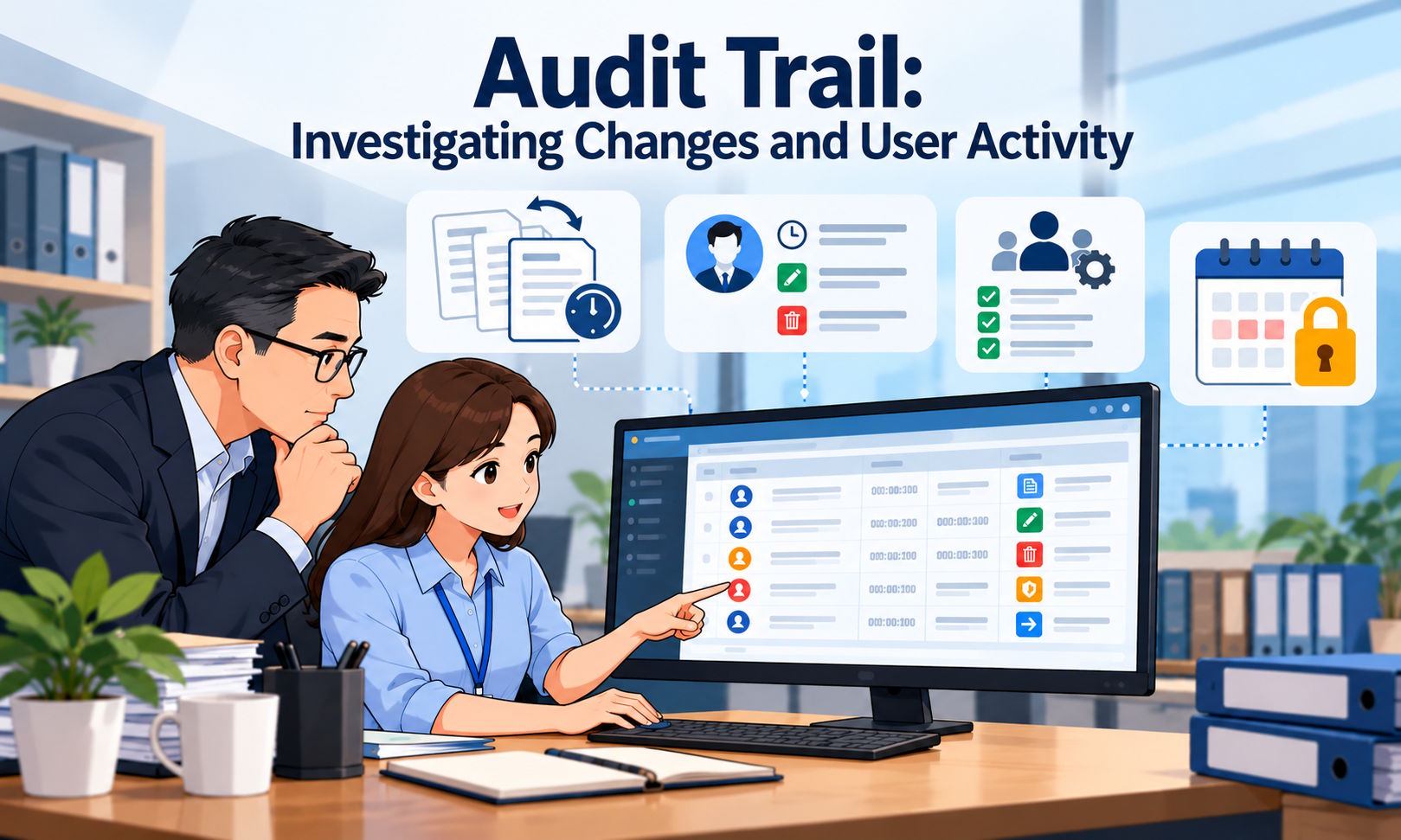
AutoCount Accounting version 2.2.26.36 introduces important enhancements focusing on e-Invoice processing, audit trail improvements, email management and new product edition support. In addition, this version includes several other important enhancements. Add View Flow function at Credit Note and Purchase Return Enhance Audit Trail to Record Bank Reconciliation Activities Enhance Audit Trail to record edit YTD Balance Maintenance activities Add Keep Email Message and Attachment file History function Support Auto email validated e-Invoice to Tax Entity Email and Branch Email Support Transaction exceeding RM 10,000 to prompt warning if did not submit as regular e-Invoice Add in warning message to indicate AR Debit Note does not support e-Invoice New 1 Account Plus Edition New AutoCount Chatbot Add Home Currency for HKD and GBP Other enhancements Important: This version of AutoCount Accounting will upgrade your Database Version to 2.2.91. This version requires AutoCount Server Version 2.2.13.11. 1. Add View Flow Function at Credit Note and Purchase Return View Flow function is now available at Credit Note and Purchase Return documents. This enhancement allows users to easily view document transfer status, replacing the need to rely on the Transfer From column. Sales > Credit Note Purchase > Purchase Return 2. Enhance Audit Trail to Record Bank Reconciliation Activities The system will now record an audit trail entry whenever a user performs a Bank Reconciliation. This improves traceability and accountability for financial reconciliation activities. 3. Enhance Audit Trail to Record Edit YTD Balance Maintenance Activities Audit trail logging had been enhanced to record Year-to-Date (YTD) Balance Maintenance edits. Any modification made through YTD Balance Maintenance will now be captured in the audit trail for tracking purposes. 4. Add Keep Email Message and Attachment File History Function A new Mail Retention feature has been added to manage email history and attachments. Users can now define rules to determine how long emails are retained and when they should be deleted. Example: Clearing Mailing Records by Schedule Go to Tools → Mailing List → Others. In this dialog, you can set what time you wish the system to perform cleanup and how long to keep those email messages and attachments. Any changes will require you to restart your AutoCount Server service to take effect. If Keep Email Message is set to 30 days, the system will automatically remove email messages and attachments after 30 days based on the sent date. Alternatively, you can also perform the cleanup immediately if you wish. You can do so by clicking Run Cleanup Now. A confirmation message will prompt – click Yes to continue. After the cleanup is done, a successful message will be displayed. Click OK to acknowledge the cleanup and complete the whole process. All mailing records and attachments will be removed. 5. Support Auto Email Validated e-Invoice to Tax Entity Email and Branch Email The system now supports sending validated e-Invoices automatically to the Tax Entity Email and the Branch Email. Tax Entity Email Go to Debtor Maintenance and maintain the Tax Entity email. Create a Sales Invoice. After approval, go to Tools > Mailing List. The system will send the validated e-Invoice to the Tax Entity Email. Branch Email Maintain the Branch Email in Debtor Maintenance. Create a Sales Invoice and select the Branch Code. After approval, go to Tools > Mailing List. The validated e-Invoice will be sent to the Branch Email. Note: If both Tax Entity Email and Branch Email have email maintained, the system will send the validated e-Invoice to both. If a general debtor email is also maintained, it will receive the email as well. Additional Enhancement A new field ‘Statement Email’ has been added in Debtor Maintenance specially for sending Debtor Statement emails. Existing email will also be copied to this ‘Statement Email’ field upon update. 6. Support Transaction Exceeding RM 10,000 to Prompt a Warning If Not Submitted as Regular e-Invoice Starting from January 2026, LHDN requires transactions exceeding RM 10,000 to be generated and submitted as e-Invoices. With this enhancement, when saving a Sales Invoice, Debit Note or Credit Note dated 01/01/2026 onwards, if Submit e-Invoice is checked and the debtor does not have a TIN, the system will display a warning message to issue an e-Invoice if the amount exceeds RM 10,000. For multi-currency transactions, the local amount will be used to determine if it exceeds RM 10,000. 7. Add Warning Message to Indicate AR Debit Note Does Not Support e-Invoice A reminder message has been added in AR Debit Note to inform users that AR Debit Note does not support e-Invoice submission. This is to prevent users from assuming that AR Debit Note handles e-Invoice and creating transactions that require e-Invoice at this function. 8. New 1 Account Plus Edition We will be introducing a new product edition – 1 Account Plus. This edition is suitable for those who only own one company and need to complete full set accounts and simple billing matters. Modules included: G/L, A/R, A/P & Recurrence GL SST, Project, Multi-Currency Simple Sales (Quotation, Delivery Order, Invoice, Cash Sales, Credit Note, Debit Note) Simple Purchase (Purchase Order, Purchase Invoice, Cash Purchase) If an add-on module is required, the user will have to upgrade this edition to at least Account Plus edition and add any required modules from there. For trial purposes, users can select the 1 Account Plus Edition from the available editions via Tools > Program Control > Product Edition. 9. New AutoCount Chatbot A new AutoCount Chatbot feature has been introduced, providing AI-powered assistance similar to live chat support. Go to Help > AutoCount ChatBot. For first-time users, it will prompt to download some files required by the chatbot module into your PC. Another screen will be prompted. Users can key in questions or problems in the chat box and press Enter. Users can get replies from the AI on the mentioned problems, usually sourced from the knowledgebase database. Customers may start a new conversation at any time via New Chat, similar to ChatGPT. 10. Add Home Currency for HKD and … Read more

AutoCount Release Note 2.2.25.34

Release Note 2.2.25.34 Official Release Date: 10/10/2025 This version of AutoCount Accounting will upgrade your Database Version to 2.2.90. This version requires to use AutoCount Server Version 2.2.13.9. Bug Fixed: ID Description 22371 Fix When preview report, system report and user report is not differentiated by the default blue color when AutoCount System language is operating under Malay Language 22403 Fix When Post to Adjustment from Stock Take or Create Stock Adjustment error – Value was either too large or too small for an Int32 22437 Fix e-Invoice sales transaction Listing save layout function did not work on some e-Invoice related fields 22544 Fix Period Lock Manage Exception miss out Consolidated and Self-Billed e-Invoice Document 22552 Fix Sales/Purchase Auto Price not working after Year End due to IPHIST and Past Year 22569 Fix Unable to perform Change Code for Debtor, will prompt error related to column SGEInvoicePeppolFormat 22573 Fix After Reset IPHIST in Studio, price history report will have duplicate AQ and POS records Enhancement: ID Description 22136 Update System Report and User Report to save and open as XML 22542 Add new Export Service Tax Code (SVE) for SST02 column 18a 22547 [SG] Add purge data function for Singapore Retrieve Document 22548 Add purge data function for Import Supplier e-Invoice from MyInvois Portal 22567 Enhance to copy Debtor Maintenance Sales Tax Exemption No to Detail at transaction 22572 Enhance Financial Report split AccNo and AccDesc into 2 columns when using Export Function 22609 Add Audit Trail Record in Philippines BIR Setting 22636 Support Posting Account Group Maintenance for POS only packages Prepared by Lay Swan Last Modified 10/10/2025