PERKESO’s LINDUNG 24 JAM scheme (SKBBK) now runs through an online self-service portal, and every employee needs to log in at least once to record their choice. Here’s a step-by-step walkthrough of the portal, from creating an account to downloading proof of your submission.
Do you actually need to do anything? Only if you plan to opt out. Employees who are happy to be covered by the scheme don’t need to take any action — anyone who hasn’t opted out by 31 August 2026 will be enrolled automatically. This guide is mainly for staff who want to actively decline coverage.
Step 1: Create or Access Your Portal Account
Start by opening the Benefit Application Portal in your browser:
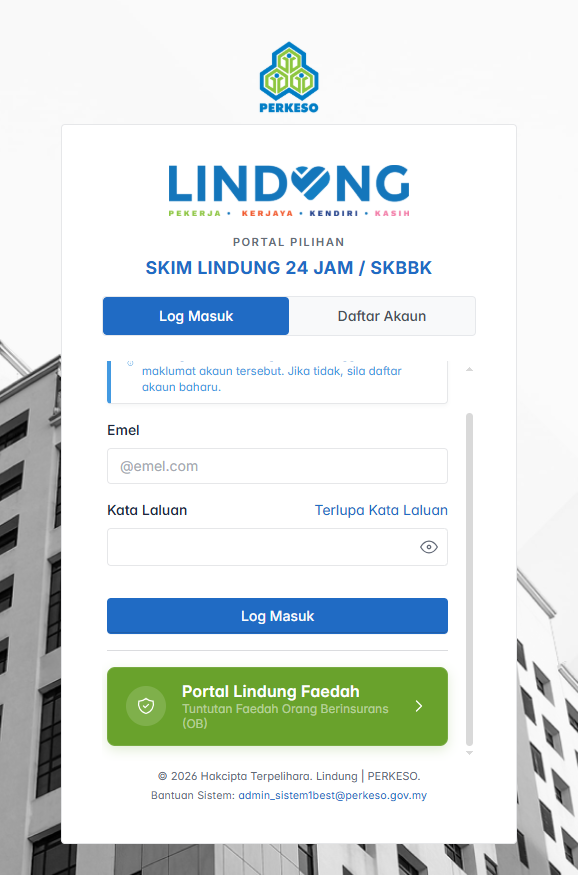
Already signed up before? Just hit Log Masuk (Log In) and skip ahead to Step 2.
First time here? Choose Daftar Akaun (Register Account) instead and fill in the following details:
- Your full name, exactly as it appears on your NRIC
- NRIC number
- A valid email address
- A password for the account
- Confirmation that you accept the Terms and Conditions (checkbox)
- Then select Register Account to submit
Once your details go through, the portal will show a short confirmation notice. Tap Next to move on to the participation step.
Step 2: Choose Your Participation Status
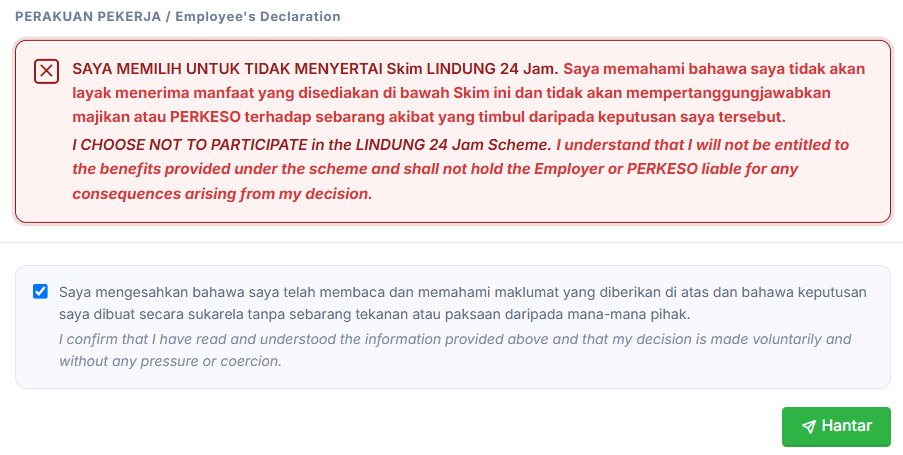
This is the part that actually matters if you want to opt out. On the Perakuan Pekerja (Employee’s Declaration), tick the box for Not To Participate. Below that, you’ll see a checkbox acknowledging your choice. Tick it, then click Submit to lock in your decision.
Step 3: Confirm Your Submission Went Through
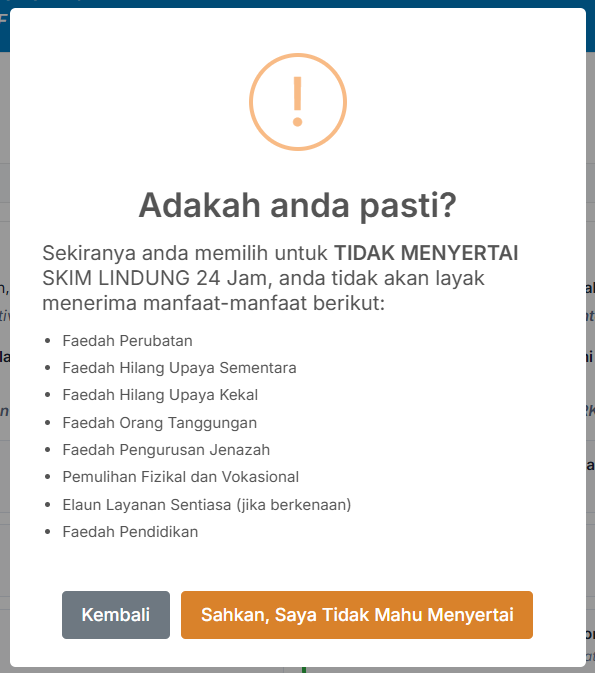
After submitting, the system will pop up a confirmation message right away. Click “Sahkan, Saya Tidak Mahu Menyertai” for confirmation.
Worth knowing: this decision is final. Once you’ve submitted your declaration, you won’t be able to switch your participation status afterward, so double-check before you click Submit.
You’ll then see a final success screen confirming everything was recorded. Click OK to close it.
Step 4: Save a Copy of Your Declaration
It’s a good idea to keep a personal record of what you submitted. Select Download Declaration Form to save a PDF copy of your participation record for your own, or submit to your employer.

Passing a Copy to Your Employer
If your company needs proof for its own records, you can also sign a LINDUNG 24 Hour Scheme Liability Release Notice, noting the date you completed your declaration through the Lindung Faedah portal, and hand that copy to your employer. For companies using the AutoCount HRMS system, click here to learn how to exclude SKBBK in the HRMS system.
Where to Get More Information
For further details straight from PERKESO, check out these official resources: