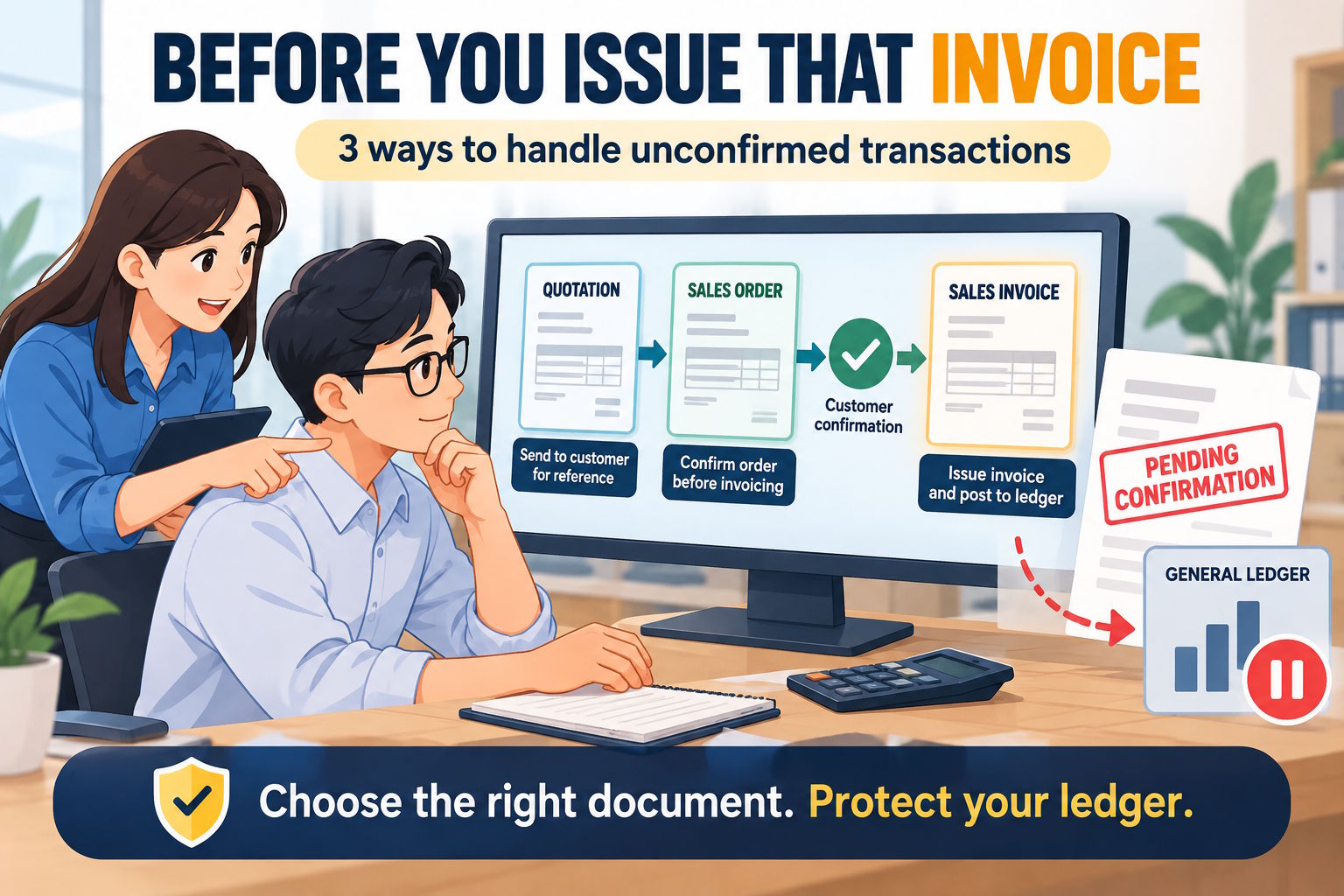
Sometimes, customers ask for an invoice before confirming their purchase. They may need the document for internal approval or to start their payment process.
For accounts staff using AutoCount Accounting v2, this can be a problem. A saved sales invoice may post to the General Ledger, even when the customer has not confirmed the transaction.
Here are three ways to handle this situation.
1. Use a Quotation or Sales Order
Instead of issuing a sales invoice, create a quotation or sales order.
- Quotation: Suitable when the customer is still reviewing the price or terms.
- Sales Order: Suitable when the customer has placed an order but is not ready for invoicing.
These documents do not create General Ledger entries. They can also be transferred into later sales documents to reduce repeated data entry.
If the customer requests a proforma invoice, you may consider creating a new template design with the title “Proforma Invoice” (replacing title Quotation or Sales Order) provided the document is clearly identified and meets the customer’s requirements. However, changing the document title does not change the actual type of the document.
2. Save the Invoice as a Draft
If your AutoCount setup enabled a draft or approval workflow, you can consider using it while waiting for confirmation.
A draft watermark helps users identify that the document is not final. However, you should check whether saving the draft creates any accounting entries in your installed version.
Also confirm who can approve the invoice and what happens after approval.
3. Control General Ledger Posting
AutoCount has posting controls that determine whether a transaction affects the General Ledger (GL) or stock. Before saving the invoice, you can adjust these settings. If you do not want the invoice to be posted to the GL, simply uncheck the GL posting option.
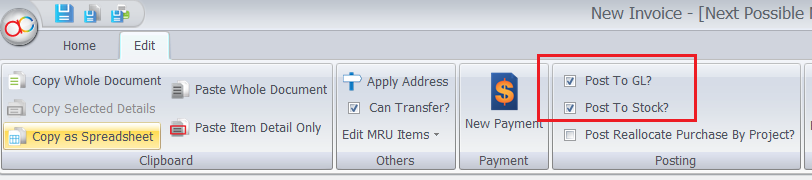
If an invoice has already been posted, do not unpost it without checking the consequences. This may affect accounts receivable, stock records, reports, or related transactions.
Follow your company’s procedures and make sure any changes are properly authorized and checked.
Improve Coordination Between Sales and Accounts
Sales staff may need a document to help secure an order, while accounts staff need to ensure that transactions are recorded at the correct time.
To avoid confusion, companies should:
- Agree on when to use quotations, sales orders, and invoices.
- Set clear rules for invoice approval.
- Check outstanding invoices and overdue payments regularly.
- Match customer receipts against the correct invoices.
- Verify e-Invoice requirements before finalizing the workflow.
Conclusion
Not every document requested by a customer needs to be a final sales invoice.
For unconfirmed transactions, start by considering a quotation or sales order. Draft workflows and General Ledger posting controls may also help, but their behavior should be checked in your AutoCount setup.
A clear process between Sales and Accounts helps reduce premature postings and keeps financial records more accurate.