AutoCount HRMS includes leave enhancements that make requests with multiple dates easier to submit and help employees use eligible leave credits before they expire. Employees can combine full-day, half-day and hourly leave selections in one request. The system also applies eligible leave credit before deducting from the regular leave balance.
Submit leave for multiple dates in one request
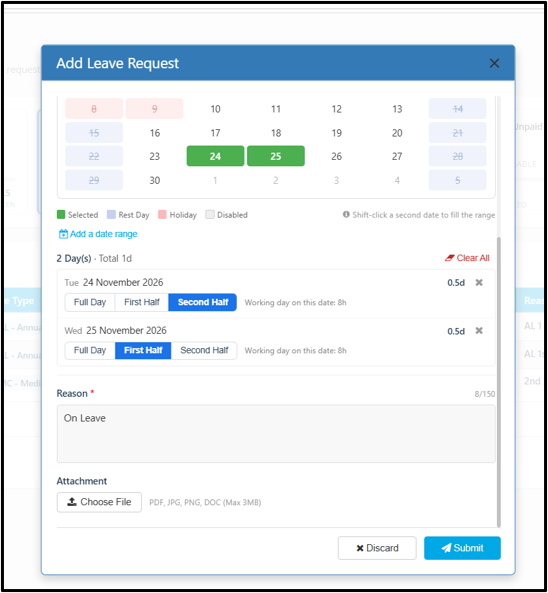
Employees can select several dates on the leave calendar and choose the leave duration for each date. The selected dates are sent to the approver together as one request.
How to apply
- Open Apply Leave and select New Leave Request.
- Choose the leave type.
- Select each date on the calendar. Selected dates are highlighted.
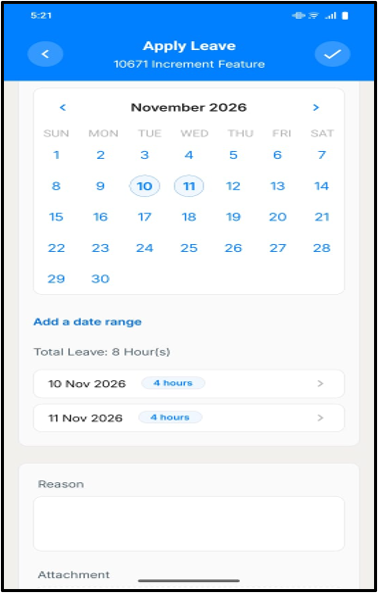
- For each date, choose Full Day, First Half or Second Half. For hourly leave, enter the number of hours.
- Review the total leave duration. The request shows the selected dates and the total leave being applied.
- Enter a reason of up to 150 characters, then select Submit.
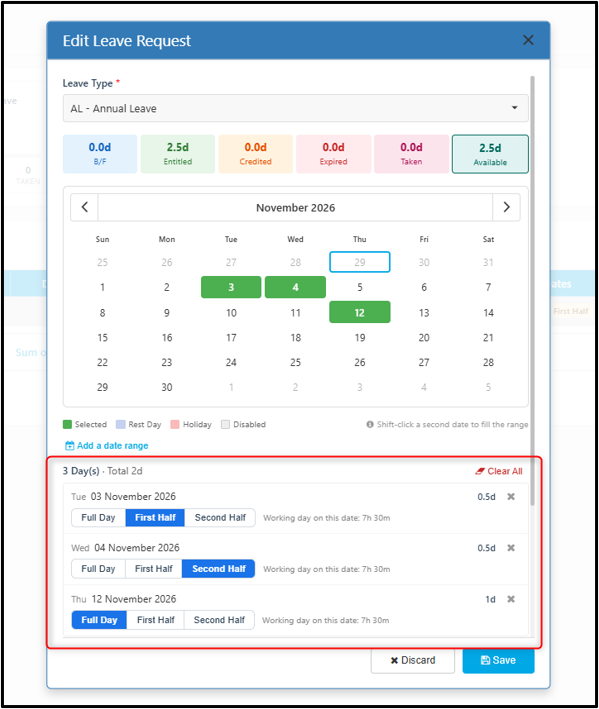
For example, two half-day selections on different dates can be submitted together as one request. Hourly leave selections can also be combined, with the total hours deducted from the applicable leave balance.
How remaining leave credit is used
When an employee applies for leave, AutoCount HRMS uses eligible remaining leave credit first. If more leave is needed, the balance is deducted from the applicable leave type, such as Annual Leave. When multiple credits are available, the credit with the earliest expiry date is used first.
For example, if an employee has 0.5 day of credit and 1 day of Annual Leave, a 1-day request uses 0.5 day from the credit and 0.5 day from Annual Leave.
When a request cannot be submitted
If the credit and the employee’s applicable leave balance do not cover the requested duration, HRMS blocks the request. The employee will need to adjust the dates or duration, or have the leave balance reviewed by HR.
Leave credit valid-from date
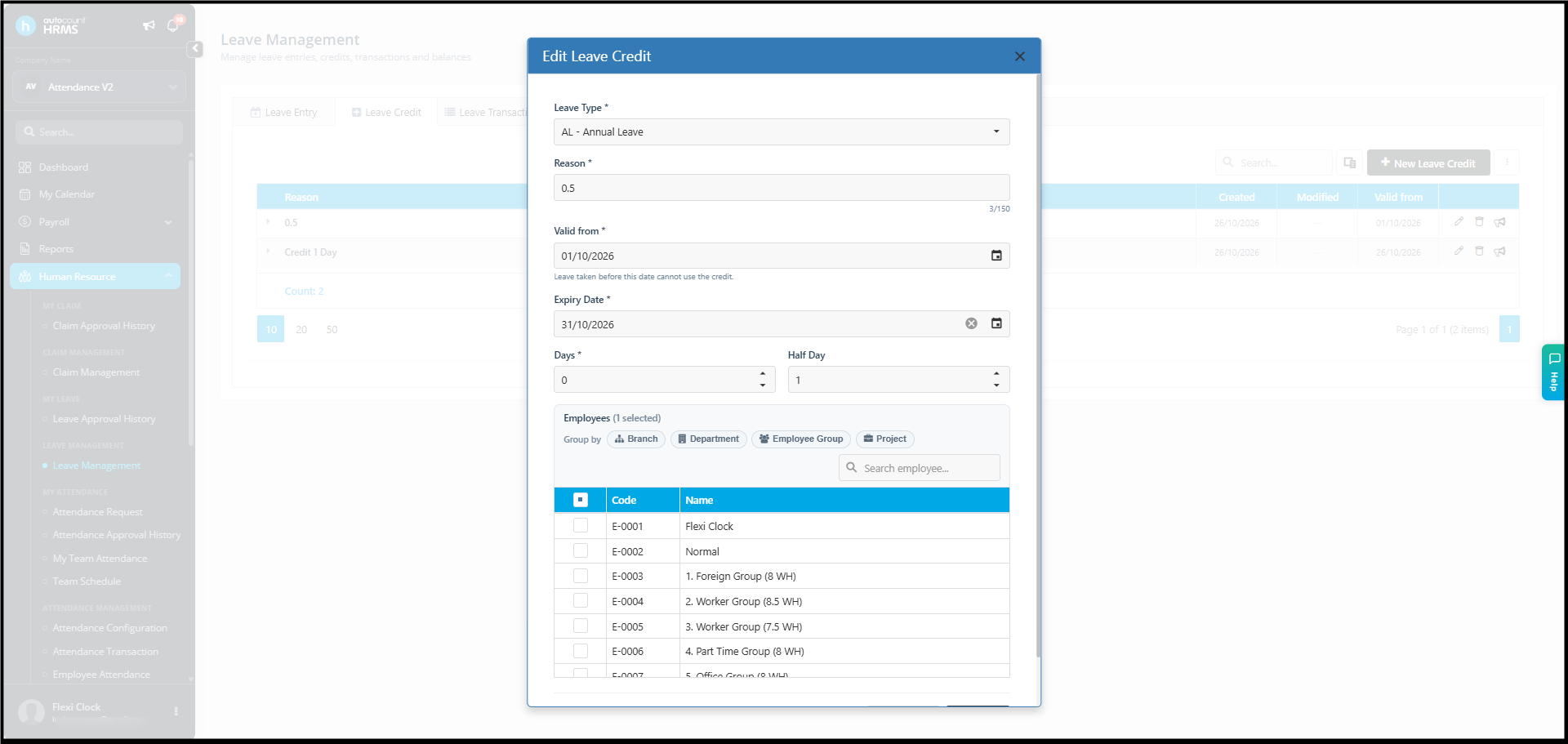
Each leave credit can have a Valid from date. A credit can only be used for leave taken on or after that date. HR can set this date under Leave Management > Leave Credit > New Leave Credit.
If a request includes leave dates before the credit’s valid-from date, those earlier dates cannot use that credit and are deducted from the regular leave balance instead. Dates on or after the valid-from date may use the credit, subject to the available balance.
Key points
HRMS blocks a request when the eligible credit and leave balance are insufficient.
Multiple leave dates can be submitted to an approver in one request.
Each selected date can have its own full-day, half-day or hourly duration.
Eligible leave credits are used before the regular leave balance, with the earliest-expiring credit used first.
A credit is only available for leave dates on or after its valid-from date.