Get started with PalmPOS in just a few minutes. Register for a free trial account and install the PalmPOS app on your Android device to use it as a POS terminal for testing.
Step 1: Register a New Account
Click here to register: https://onesales.autocountcloud.com/
Fill in the registration form with:
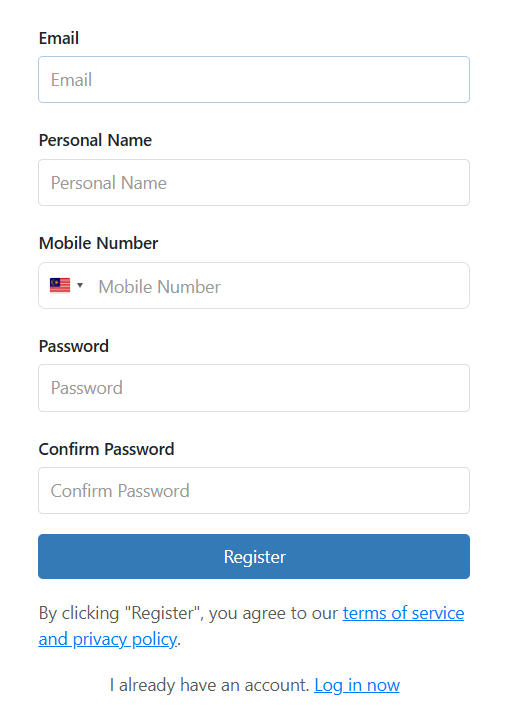
- Email address
- Full name
- Mobile number
- A secure password
Click Submit to complete your registration.
Step 2: Confirm Your Email
After registering, you’ll receive a confirmation email.
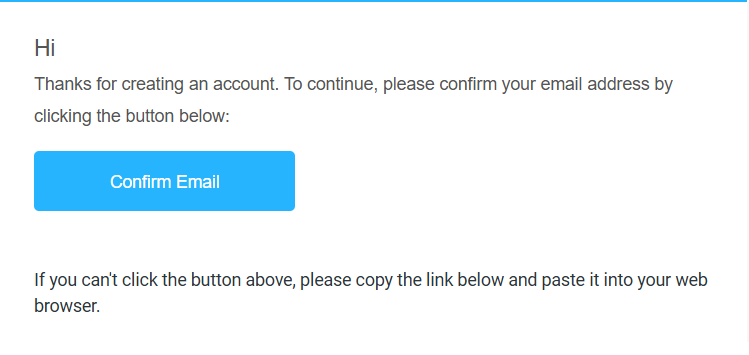
- Open your inbox and click the confirmation link.
- Can’t find the email? Check your Spam or Junk folder.
- Once confirmed, your account will be activated.
Step 3: Log In and Create a Company
Once activated, click login in to account, or click https://onesales.autocountcloud.com/ and log in using your email and password.
1. After logging in, click Create New Company. Select Malaysia as your country.
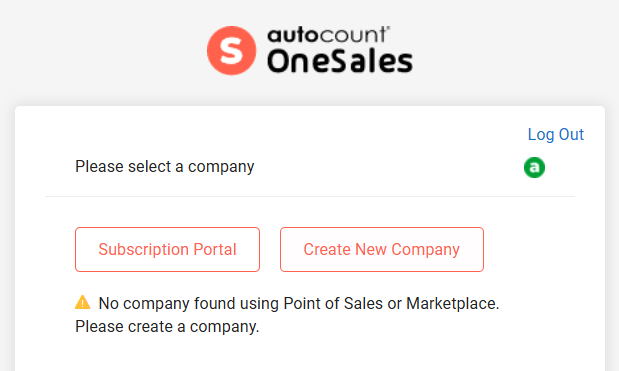
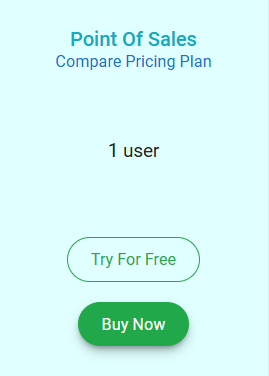
2. Choose Point of Sales, then click Try for Free.
3. Select Free Mode Subscription:
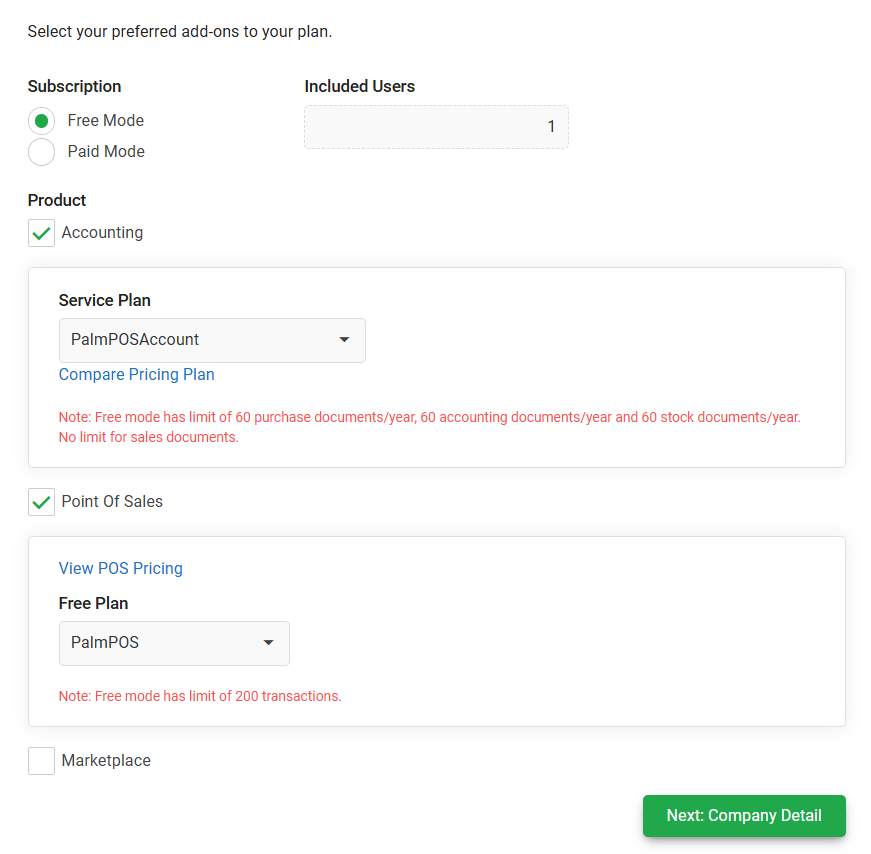
- Choose an Accounting Plan (e.g. PalmPOSAccount) — uncheck this if you don’t need accounting.
- Choose PalmPOS as your Point of Sales plan.
Step 4: Company Profile Setup
1. Fill in your company details:
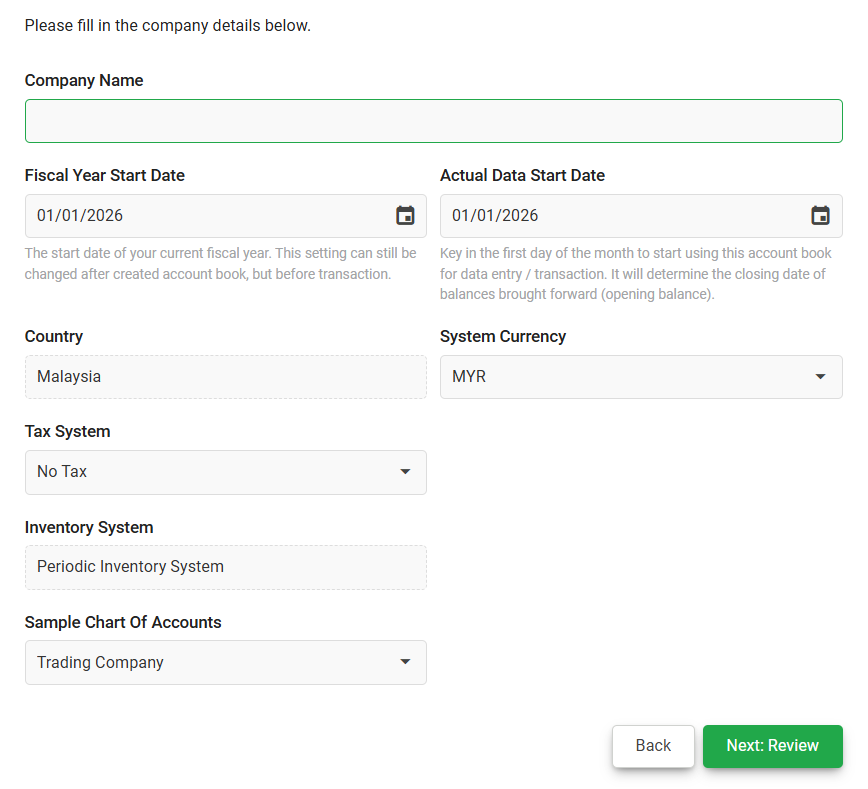
- Company Name
- Fiscal Year Start Date (the start of your official accounting year)
- Actual Data Start Date (the date you begin entering live data)
- Tax System (only shown if you selected an accounting plan)
2. Review your information carefully.
3. Click Confirm to complete registration.
Step 5: Install the PalmPOS App
1. Go to the Play Store, search for PalmPOS, and install the app.
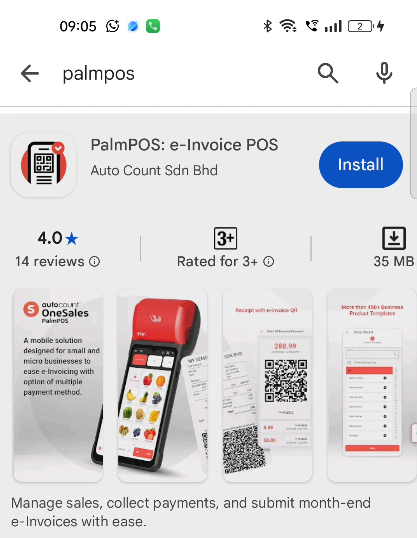
2. Open PalmPOS and choose Login using email.
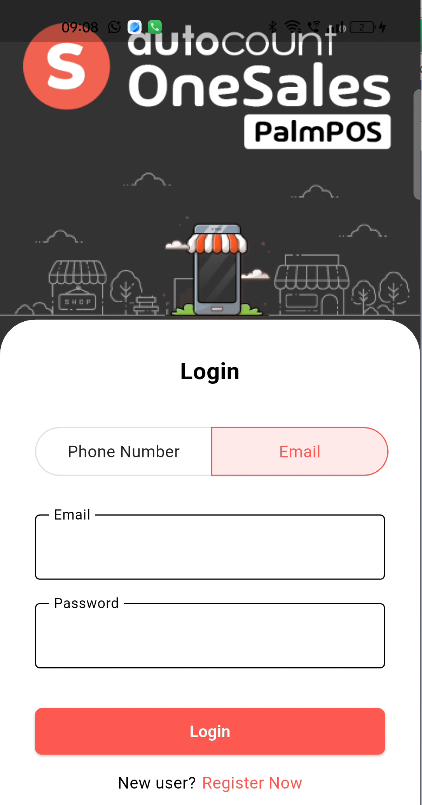
3. Select your company name and terminal (e.g. T01).
4. Log in using the default “admin” password.
You’re Ready to Go!
Your PalmPOS registration is complete, and you’re ready to start using PalmPOS.
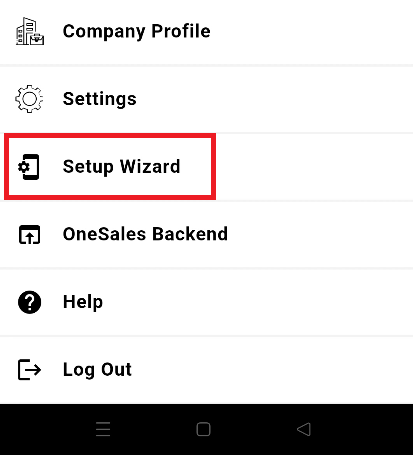
On the PalmPOS Terminal, tap the ☰ (three-line menu) in the top-left corner, then select Setup Wizard to quickly add your item listings and complete the basic setup. Your settings and transactions are automatically synchronized online.
The free trial account includes up to 200 transactions. For a complete business setup, data migration, and user training to ensure a smooth long-term implementation, feel free to contact us.